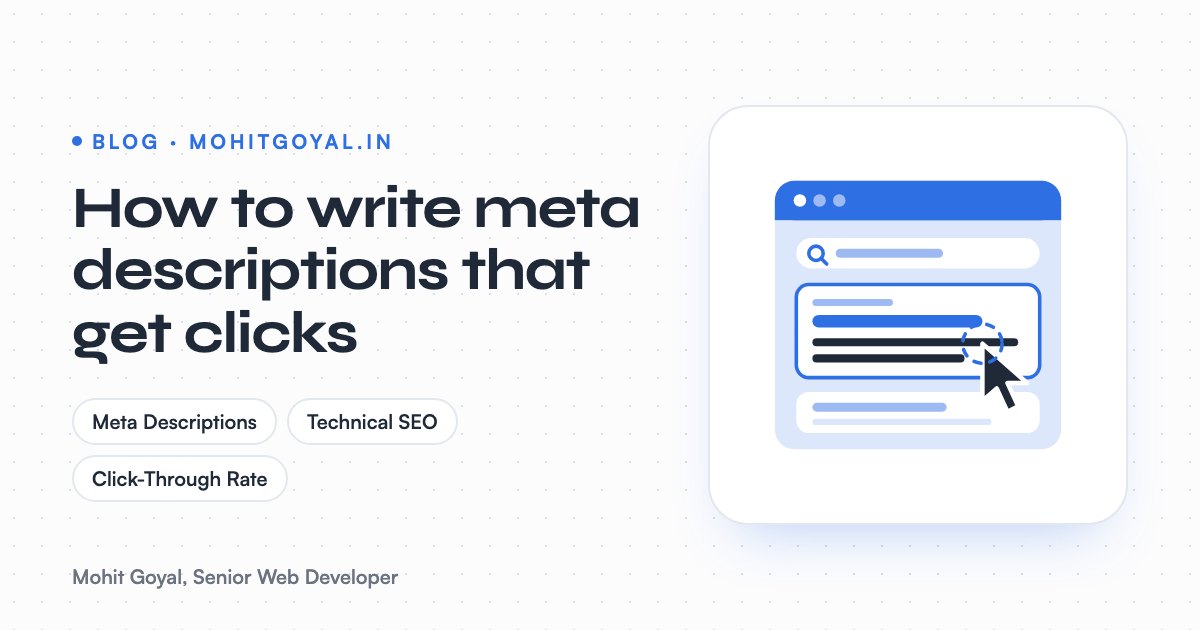
A meta description that gets clicks is 120 to 155 characters long. It answers the search in the words the searcher used, adds one specific detail (a location, a number, a price or a feature) and ends with a reason to click. It won't lift your Google rankings, but it's the pitch people read before they pick your result over the one above it. Write one for every page, put the key point first, and expect Google to swap it out some of the time.
Below you'll find the length rules, the four-step formula I use, before and after examples for six common page types, and an honest look at where AI generators help and where they trip up.
What is a meta description and does it still matter?
A meta description is the HTML tag that summarises a page for search engines. It still matters, just not for rankings. It matters for how many people click your result. The tag sits in the head of the page: <meta name="description" content="...">. Visitors never see it on the page itself. Search engines can use it as the grey snippet under your title in the results, and Google's snippet documentation says it mainly builds snippets from page content, using your meta description when that describes the page more accurately.
Two numbers make the case for bothering:
62.78%
Share of meta descriptions Google rewrites (Ahrefs)
5.8%
More clicks for pages with a meta description (Backlinko)
Ahrefs found Google rewrites meta descriptions 62.78% of the time, so yours won't always show. That sounds discouraging until you look at the other number. Backlinko's analysis of millions of Google results found pages with a meta description averaged 5.8% more clicks than pages without one.
So treat it as a click lever. Google said years ago that it doesn't use the description meta tag in ranking. But more clicks from the same position is still more traffic, which is why I check meta descriptions as part of every technical SEO pass.
How long should a meta description be?
Aim for 120 to 155 characters, with about 150 as a safe target. Google doesn't set a character limit. Its documentation says the snippet is truncated as needed to fit the device width. In practice the cut happens by pixels, not characters, so a line full of wide letters like W and M gets chopped sooner. Conductor's guide gives a working range of about 430 to 920 pixels, or roughly 70 to 155 characters.
| Length | What usually happens | Verdict |
|---|---|---|
| Under 70 characters | Too thin to persuade, often replaced with page text | Too short |
| 120 to 155 characters | Fits on most screens with room for a detail and a call to action | Aim here |
| 160+ characters | Cut off with an ellipsis, so the call to action is lost | Trim it |
Put the important words in the first 100 or so characters. If the end gets cut on a small phone, the start should still make sense by itself.
What is the formula for a meta description that gets clicks?
Four steps: answer the search, add one specific detail, give a reason to click, and check every claim against the page. I use the same steps on every page type. It takes a couple of minutes per page, and it gets rid of the vague "Welcome to our website" opening for good.
- 1
Answer the search
Open with what the page is or does, in the words people actually type. Include the main keyword naturally, because Google bolds terms that match the query.
- 2
Add one specific detail
A location, a size range, a delivery time, a price from or a number. Specific details stand out next to generic competitors.
- 3
Give a reason to click
End with the next step or the payoff: book a call, see prices, get the checklist. Make it fit the page, not a generic Learn more.
- 4
Check it against the page
Every claim must be true on the page itself. Then check length and make sure no other page on your site uses the same text.
What do good meta descriptions look like by page type?
A good one says who the page is for, what it offers and where, then adds a hard fact and a next step. The examples below use made-up businesses to show the pattern. Each "after" version lands between 140 and 152 characters.
| Page type | Before | After |
|---|---|---|
| Homepage (accountant) | Welcome to Smith & Co. We are a leading firm of accountants providing quality services to clients. | Fixed-fee accountants in Leeds for sole traders and small limited companies. Self-assessment, VAT and payroll filed on time. Book a free 15-minute call. |
| Service page (plumber) | Plumbing services, plumber, emergency plumber, boiler repair, Manchester plumber. | Emergency plumber in Manchester, out 24/7. Gas Safe engineers fix leaks, boilers and blocked drains, with the price agreed before any work starts. |
| Product page | Buy Oak Desk Lamp online at best price. Free shipping. Shop now! | Solid oak desk lamp with a warm 2700K LED and built-in dimmer. 38 cm tall, dispatched in 2 working days across the UK, with free 30-day returns. |
| Category page | Shop our collection of women's kurtas. | Cotton and silk kurtas for women in sizes XS to 3XL. Filter by colour, fabric and occasion, with worldwide delivery and free size exchanges. |
| Blog post | In this article we will discuss everything you need to know about Core Web Vitals. | LCP, INP and CLS explained in plain English, with the fixes that move a failing WordPress site to a pass and how to check each one yourself. |
| Event page | Summer Party 2026. Join us. | Rooftop summer party in Manchester on 18 July, 6pm till late. Live DJs, street food and a welcome drink included. Tickets from £25, limited spaces. |
What's going on behind these:
- Homepages have to say who you serve and where. "Leading" and "quality" tell the searcher nothing.
- Service pages should answer the worry behind the search. For an emergency plumber, that's how fast and how much.
- Product pages win on facts: size, material, delivery time, returns. On large catalogue sites Google's guidance encourages generating descriptions from page data, so a template that pulls in real attributes is fine.
- Category pages should show range and filters. The searcher is still comparing.
- Blog posts should promise the specific answer. "Everything you need to know" promises nothing.
- Event pages need the date, the place and the price. Those decide the click more than any adjective.
Do meta keywords still matter?
No. Google confirmed in 2009 that it doesn't use the meta keywords tag for ranking, so leave it out.
Skip the meta keywords tag
Google stated in 2009 that it does not use the keywords meta tag in web search ranking. It does nothing for Google and shows your keyword list to any competitor who views your page source.
Google's announcement is in the Search Central blog post on the keywords meta tag if you want to read it. Stuffing keywords into the meta description doesn't work either. Google's documentation says descriptions made of long strings of keywords are less likely to be displayed. Use the main keyword once, in a normal sentence, and spend the rest of the space persuading.
When do AI meta description generators help, and where do they go wrong?
They're good at drafting a lot of descriptions quickly and keeping them to length. Where they go wrong is making things up and producing the same sentence for every page. I built a free Meta Tag Generator on mohitgoyal.in because writing descriptions for dozens of pages by hand is slow, and slow jobs like that tend to get skipped. You paste in the page content and your target keyword. You get back five title tags and five meta descriptions sized to stay within what Google shows, with the keyword near the start, plus Open Graph text for social shares. No sign-up.
Where tools like this earn their keep:
- Volume. A first draft for every page in minutes instead of an afternoon.
- Options. Five versions side by side make it easy to pick the sharpest angle.
- Length. They stay under the limit, so you aren't counting characters.
- Starting from the page. A good draft is built from what the page actually says.
The failures are predictable, so check every output for these:
- Invented claims. Models love adding "free shipping", "24/7 support" or "award-winning" because those phrases are everywhere in their training data. If the page doesn't say it, delete it.
- Buzzwords. "Discover", "ultimate" and "comprehensive" read as filler and make you look like every other result.
- Sameness. Run a generator across 30 product pages and you can end up with 30 versions of one sentence. Google says identical or similar descriptions aren't helpful.
- Wrong intent. A tool can't always tell whether the searcher wants to buy, compare or learn. You can, so pick the version that fits.
- Broken HTML. A double quote inside the content attribute can cut your description short if your CMS doesn't escape it. Use single quotes or reword.
My rule is simple: the tool drafts, a person signs off. Ten seconds per description is enough to catch an invented claim. If you're writing new pages, my free SEO Content Brief Generator drafts a working title and meta description along with the outline. The Landing Page Roaster then reviews the page copy itself, scoring clarity, value, trust and the call to action.
Why is Google ignoring my meta description?
Usually because it doesn't match the search, it's duplicated across pages, it reads like a keyword list, or it promises something the page doesn't cover. Google picks a snippet per query, so the same page can show different text for different searches. If yours rarely appears, check for these:
- It doesn't mention what people are searching for.
- It's copied across lots of pages, often a theme or SEO plugin default.
- It's a list of keywords, not a sentence.
- It promises something the page doesn't cover, so the page text wins as a better match.
The fix is the formula above. Answer the main query in the first sentence and make the description belong to that page only. Structured data helps as well, since Product and Event markup gives Google more to show next to your text. My JSON-LD structured data guide shows how to add it.
How do you add meta descriptions in WordPress and Next.js?
In WordPress, use the description field that an SEO plugin like Yoast or Rank Math adds under each page and post. For WooCommerce, set up a template that pulls in the product name and a couple of key attributes, then hand-write descriptions for your best sellers and main categories.
In Next.js, set description in the metadata export for static pages, or return it from generateMetadata for dynamic routes like blog posts and products. Add openGraph.description too, so shared links don't look half-finished.
Whatever the stack, check the result in the page source, not just the editor. Then crawl the site for empty or duplicate descriptions. Old templates have a habit of leaving the same text on dozens of pages.
Which pages should you rewrite first?
Start with pages that have high impressions, a top-10 position and a low click-through rate. That's where a better snippet pays off most. In Google Search Console, open Performance, switch to the Pages tab and sort by impressions. The top of that list is your shortlist, and you can win clicks there without moving a single position.
Rewrite five to ten of them and note the date. Then compare clicks over the next four weeks with the four weeks before. If CTR dropped after a redesign or migration, the problem may be bigger than snippets, and my guide to recovering from a traffic drop after a redesign walks through the usual causes.
What's the next step?
Open Search Console, pick your five highest-impression pages and run each one through the Meta Tag Generator. Check every option against the page and publish the best one. If the snippets are fine but the site is slow, slipping in rankings or throwing indexing errors, that's a technical SEO job. Have a look at my technical SEO and Core Web Vitals service, or book a 20-minute call and I'll tell you what I'd fix first.