To link brand entities with JSON-LD, give each thing on your site a fixed @id, for example https://example.com/#organization, and point the other nodes at it with properties such as publisher, founder, provider and brand. Put the nodes in one @graph, output the Organization and WebSite nodes on every page, and list only the company's own official profiles in sameAs.
Without @id, every block of markup on your site stands alone. The blog plugin says the publisher is "Example Studio Ltd". The service page template says the provider is "Example Studio". The about page has a Person with no link to either. Someone reading those pages can tell it's one company. A parser has to guess, and you don't want it guessing about your own brand.
If JSON-LD is new to you, start with how to add JSON-LD structured data. If you're not sure which types your business needs, see which schema markup a business website needs. This post is only about joining those types together.
How the nodes connect
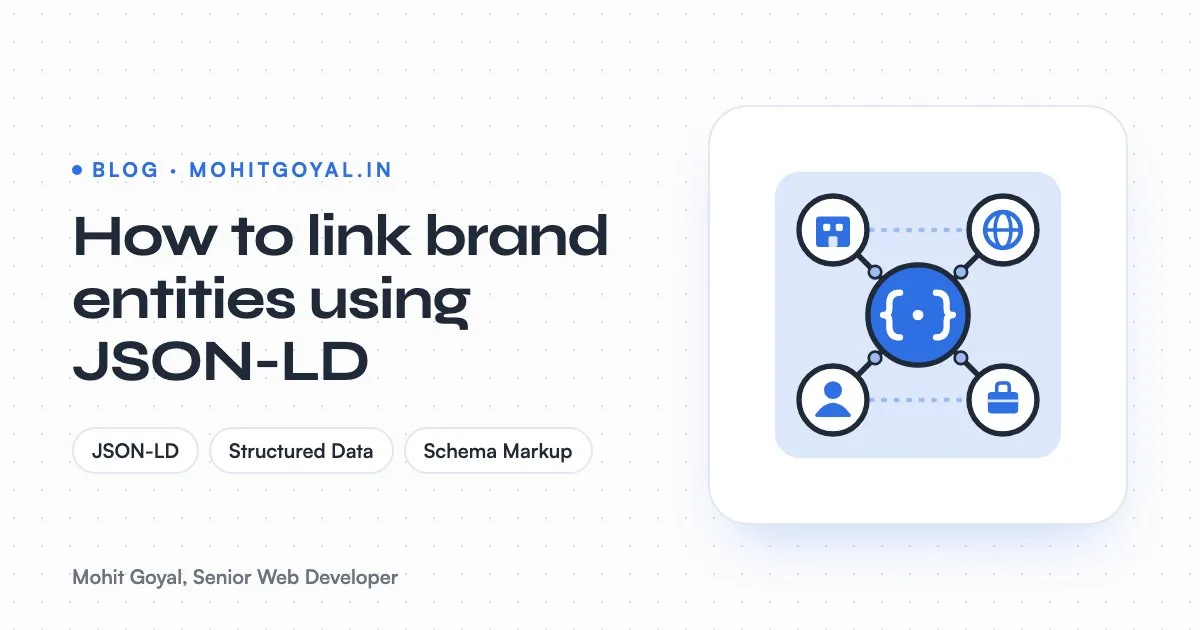
Most brand sites need five node types: Organization, WebSite, WebPage, Service or Product, and Person. The Organization sits in the middle and everything else points back to it.
The Organization publishes the WebSite. Every WebPage is part of the WebSite. Each service or product points back to the Organization, and the founder or author is a Person who works for it. sameAs is the only link that leaves your site. It tells parsers that this Organization is the same company described on those other pages.
A JSON-LD example that links brand entities
This is the markup for a service page on a made-up studio at example.com. Every name, URL and ID is a placeholder, so swap in your own. Leave out any profile you don't have.
{
  "@context": "https://schema.org",
  "@graph": [
    {
      "@type": "Organization",
      "@id": "https://example.com/#organization",
      "name": "Example Studio",
      "alternateName": "Example Studio Ltd",
      "url": "https://example.com/",
      "logo": {
        "@type": "ImageObject",
        "@id": "https://example.com/#logo",
        "url": "https://example.com/images/logo.png",
        "width": 512,
        "height": 512
      },
      "founder": { "@id": "https://example.com/about/#person" },
      "sameAs": [
        "https://www.linkedin.com/company/example-studio/",
        "https://www.crunchbase.com/organization/example-studio",
        "https://www.wikidata.org/wiki/Q00000000",
        "https://maps.google.com/?cid=0000000000000000000",
        "https://www.instagram.com/examplestudio/"
      ]
    },
    {
      "@type": "WebSite",
      "@id": "https://example.com/#website",
      "url": "https://example.com/",
      "name": "Example Studio",
      "publisher": { "@id": "https://example.com/#organization" }
    },
    {
      "@type": "Person",
      "@id": "https://example.com/about/#person",
      "name": "Founder Name",
      "jobTitle": "Founder",
      "url": "https://example.com/about/",
      "worksFor": { "@id": "https://example.com/#organization" },
      "sameAs": [
        "https://www.linkedin.com/in/founder-name/",
        "https://github.com/founder-name"
      ]
    },
    {
      "@type": "Service",
      "@id": "https://example.com/services/web-design/#service",
      "name": "Web design",
      "serviceType": "Web design",
      "url": "https://example.com/services/web-design/",
      "areaServed": "GB",
      "provider": { "@id": "https://example.com/#organization" }
    },
    {
      "@type": "WebPage",
      "@id": "https://example.com/services/web-design/#webpage",
      "url": "https://example.com/services/web-design/",
      "name": "Web design services | Example Studio",
      "isPartOf": { "@id": "https://example.com/#website" },
      "about": { "@id": "https://example.com/services/web-design/#service" },
      "publisher": { "@id": "https://example.com/#organization" }
    }
  ]
}
On the home page, output the same Organization, WebSite and Person nodes, plus a WebPage node for the home page itself (https://example.com/#webpage), and no Service node. On a blog post, add a BlogPosting node alongside the WebPage, with author pointing at the Person's @id, publisher at the Organization's, and mainEntityOfPage pointing at the WebPage's @id.
I've kept the Service node short here. Service schema for a service business covers the rest of its properties. For a shop, swap it for a Product node and set "brand": { "@id": "https://example.com/#organization" }. Schema.org accepts an Organization as a product's brand.
How should you write @id values?
Use your own domain plus a fragment that says what the node is, such as https://example.com/#organization. An @id is a name tag. The URL doesn't need to load anything. Parsers only compare the string, so it has to be exactly the same everywhere it appears.
| Node | @id pattern | Why |
|---|---|---|
| Organization | https://example.com/#organization | There's one per site, so it hangs off the home URL |
| WebSite | https://example.com/#website | Same reason |
| Person | https://example.com/about/#person | Tied to the page that is about that person |
| WebPage | page URL + #webpage | One per page |
| Service or Product | page URL + #service or #product | Lives on its own page |
Don't use the bare home page URL as the Organization's @id. https://example.com/ is also the URL of your home page, so the company and the page would end up sharing one identifier. The fragment keeps them apart.
And pick one form of your domain and stick to it: whatever your canonical URL uses, https, with or without www. To a parser, http://example.com/#organization and https://www.example.com/#organization are two different identifiers. That means two different organisations.
Yoast SEO uses the same #organization and #website pattern. If you're adding nodes to a WordPress site that runs Yoast, view the page source, copy its IDs and reuse them. Don't make up new ones.
Which profiles belong in sameAs?
Only profiles that are the company's own. Schema.org defines sameAs as the URL of a reference page that "unambiguously indicates the item's identity", and its examples are a Wikipedia page, a Wikidata entry or the official website. Hold every URL in your list to that test. For the Organization, that usually leaves:
- the LinkedIn company page (linkedin.com/company/...), not a founder's profile
- the Crunchbase organisation page
- the Wikidata item, if one already exists
- the Google Business Profile, using the long Maps URL with
?cid=rather than a short share link that redirects - the official social accounts the company runs
Leave out pages that only mention you: directory listings, review sites, press articles, partner pages. They talk about your company. They aren't its profiles.
A Wikidata item is a strong identifier because machines can read it and it links out to other databases. But Wikidata has its own notability rules, and an item created only to fill a sameAs slot can be deleted. If your company doesn't have one, skip it. The other profiles are enough.
The founder gets their own sameAs on the Person node: a personal LinkedIn, GitHub, an author page on another site. Keeping the two sets apart matters most for small firms where the founder is the brand. My freelance brand, Inspired Monks, is two entities: me and the business, joined by founder. Merge them into one node, or put a personal LinkedIn in the Organization's sameAs, and you blur the exact line the markup is there to draw.
Google's Organization structured data documentation lets you list several sameAs URLs. It also says the url property helps Google uniquely identify your organisation, so point url at your canonical home page.
Where should the JSON-LD script go?
Put the site-wide Organization and WebSite nodes in the <head> of every page, printed from one shared template. The page-level nodes (WebPage, Service, Product, BlogPosting) come from each page's own template. With one shared template, the copies can't drift apart.
Google's documentation only asks for Organization markup on the home page. Repeating it on every page still pays off: each page's graph is complete on its own, so the references from WebPage, Service and Person always have something to point to.
On WordPress with Yoast SEO or Rank Math, fill in the organisation name, logo and social profiles in the plugin settings and let the plugin build the graph. To add a node it doesn't create, such as a Service, use the plugin's filter (wpseo_schema_graph in Yoast, rank_math/json_ld in Rank Math) and reference its existing #organization ID. Without an SEO plugin, a small function hooked to wp_head that prints one <script type="application/ld+json"> block does the job.
In Next.js, put the site-wide nodes in the root layout and the page nodes in each page, as a script tag rendered on the server. The Next.js docs suggest replacing < with \u003c when you turn the object into a string, so a stray value can't break out of the script tag.
Whichever platform you're on, keep the markup in the HTML the server sends. Don't inject it later with JavaScript or Google Tag Manager. Google runs JavaScript and will usually find injected markup. Many AI crawlers don't: Vercel's 2024 analysis of AI crawler traffic found that the major ones fetch raw HTML without running scripts.
How do you test linked JSON-LD?
Use both Google's Rich Results Test and the Schema Markup Validator. Each shows something the other doesn't.
- 1
Run the Rich Results Test
Paste the live URL into Google's Rich Results Test at search.google.com/test/rich-results. You want one Organization item with no errors. Person, WebSite and WebPage won't appear there, and that's expected.
- 2
Run the Schema Markup Validator
Paste the same URL into validator.schema.org. It lists every node, including the ones Google's tool skips, and flags properties that don't exist in schema.org.
- 3
Check every reference
Confirm the page has exactly one Organization. Then check that publisher, provider, worksFor and isPartOf each use exactly the same @id string as the node they point to.
- 4
Compare two pages
Test the home page and a deep page, such as a blog post. The Organization @id, name and sameAs list should match character for character.
The Schema Markup Validator can fetch a URL or check code you paste in. It may also read markup injected by JavaScript, so check View Source as well: open it in your browser and search for ld+json.
Mistakes that split one brand into several
The most common one is different names on different pages. The footer template says "Example Studio", the blog plugin uses the legal name "Example Studio Ltd", and a landing page builder writes "ExampleStudio". Pick one name, put the other form in alternateName, and use the same pair everywhere, including on LinkedIn and your Google Business Profile.
Some themes and hand-written snippets build a new @id on every page from the current URL. The about page then outputs https://example.com/about/#organization and the contact page outputs https://example.com/contact/#organization, which describes one company as two. The Organization ID has to be a fixed string, never built from the page address.
Two sources of markup cause the same split. A theme with built-in schema plus an SEO plugin, or Yoast plus a separate schema plugin, will each output their own Organization with their own ID. Sites that have passed through several developers are prone to this. Turn one source off. If you can't tell which source is printing what, untangling it is part of the technical SEO work I do on WordPress and Next.js sites.
A sameAs list can also point at the wrong thing: a Wikipedia article about a different company with the same name, the founder's personal Instagram, a handle left over from an old brand name, a LinkedIn page an ex-employee set up. Each one tells parsers your company is something it isn't. Open every URL in the list and make sure it's about this company and still live.
A quieter version shows up when a Service has provider set to #organization but nothing on that page defines #organization. Validators rarely complain, yet the reference points to nothing. Outputting the site-wide nodes on every page prevents it.
Does this help with AI answer engines?
Probably a little, but only Google has said anything on the record. Its Organization documentation says home page markup helps it disambiguate your organisation in search results. OpenAI, Anthropic and Perplexity haven't published how, or whether, their systems read sameAs or @id.
What I'd stand behind is narrower. An answer engine has to match mentions of a name across many pages to one company. A brand with one name, one URL and the same set of profiles everywhere is easier to match than one that shows up under three spellings, with a founder's profile standing in for the company. JSON-LD is one place where you state that identity. Your profiles are the other places, and they need to say the same thing. For the rest of what affects citations, see how to get cited in AI Overviews and ChatGPT.
If you'd rather not start from a blank file, the Schema Markup Generator writes the base JSON-LD from a plain description of your business. Add the @id values and references from the example above before it goes live.