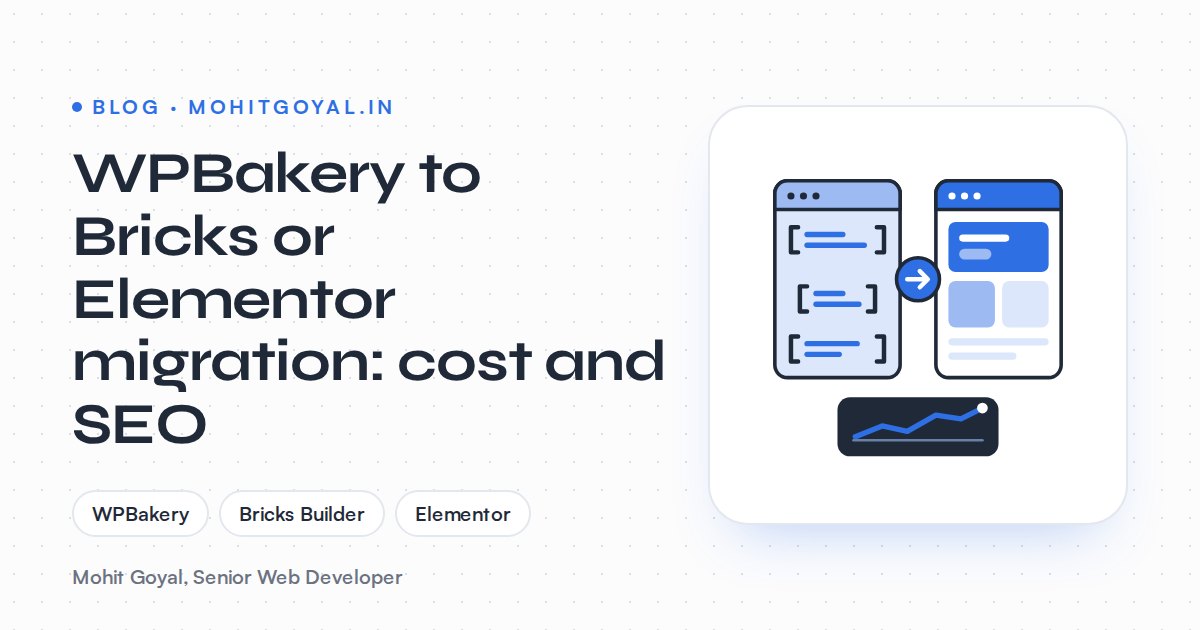
A WPBakery to Bricks or Elementor migration is a rebuild, not a conversion. Converter plugins copy rows, columns, text and buttons, but your theme's custom elements, headers, portfolio pages and leftover [vc_] shortcodes still need a person. Public market prices run from gig-site budgets of $30–$250 up to $1,500 and more from a US specialist, plus a Bricks or Elementor Pro licence. And because the move happens inside the same WordPress install, every URL can stay exactly where it is if the rebuild is planned properly.
I build on both. For a UK agency I built Ravens Ait on Bricks, and Crowne Plaza London Kingston and Samko Holdings on Elementor Pro. I also built Taxocity on Bricks for a tax and compliance firm. Here's what a WPBakery move costs, which builder I'd pick, and how to clean up without losing rankings.
Why can't you just switch WPBakery off?
Because WPBakery saves your page layout as shortcodes inside the normal post content. A page is really a long string of [vc_row], [vc_column] and [vc_column_text] tags. Turn WPBakery off and nothing reads those tags any more, so they show up on the page as raw text.
Most WPBakery sites also came from a ThemeForest theme that bundled the builder. That theme usually adds:
- its own shortcode elements with their own prefixes, which no converter knows about
- a header, footer and mega menu built into theme options
- custom post types such as portfolio items or team members, each with their own URLs
- a stack of add-on plugins (sliders, icon packs, extra elements)
So when you leave WPBakery, you usually leave the theme too. That's where most of the work sits, and most of the SEO risk.
How much does a WPBakery to Bricks or Elementor migration cost?
A WPBakery migration costs anywhere from $30–$250 on low-budget job posts to $1,500 and up for a US specialist rebuild, with full agency redesigns at $10,000–$20,000. There's no standard price. These are public listings I found, all in US dollars:
| Option | Price | What you actually get |
|---|---|---|
| Converter plugin | Free, or $20 + VAT for Pro | Rows, columns, text, buttons and images copied into Elementor. No design work |
| Freelance hourly (Upwork) | $15–$28 an hour typical, $20 median | Depends entirely on who you hire and how you scope the job |
| Low-budget job posts | $30–$250 for a 41-page site | A budget one client posted. At that price, expect copy-paste, not a rebuild |
| Theme vendor service | $1,050 to move all pages | ThemeRex's price to move a site onto the Elementor version of its own theme |
| Specialist rebuild (US) | From $1,500 | Pixel-matched Elementor rebuild with the old code stripped out |
| Full agency redesign (US) | $10,000–$20,000 | A new design and a new site, not just a builder swap |
Then add the builder licence. Bricks costs $79 a year for one site or $599 once for unlimited sites, and there's no free version. Elementor Pro starts at $60 a year for Essential, but most single business sites need Advanced Solo at $84, because Essential leaves out popups, custom CSS and WooCommerce features. Licence prices change, so confirm the current figures on the official Bricks pricing page and Elementor pricing page before you budget.
What moves the price up or down?
The number of unique layouts and how heavily the site leaned on theme features. Page count matters less than most people expect.
- Unique templates. Ten service pages sharing one layout means one template plus content entry. Ten pages that all look different means ten builds.
- Theme-specific elements. Anything the theme added (sliders, portfolio grids, pricing tables, counters) gets rebuilt by hand.
- Custom post types. Portfolio, team or case study items need a new home, usually ACF fields plus a Bricks or Elementor template.
- Blog posts written in WPBakery. Nobody rebuilds hundreds of posts one at a time, so they get cleaned in bulk (more on that below).
- Forms, tracking and integrations. Contact forms, GA4, Tag Manager, HubSpot and booking widgets all need re-wiring and testing.
- WooCommerce. Product and category templates, plus a checkout you can't afford to break.
- Design changes. A like-for-like rebuild costs less than a redesign. Mixing the two halfway through is how budgets drift.
Bricks or Elementor: which should you rebuild on?
Choose Bricks Builder if speed and clean code are why you're leaving WPBakery and a developer manages the site. Choose Elementor if a non-technical team will build its own pages after launch. Neither is a bad pick. I've written a fuller Bricks vs Elementor vs Oxygen comparison, but for a WPBakery move these are the differences that matter:
| Factor | Bricks | Elementor (Pro) |
|---|---|---|
| What it is | A theme with the builder built in | A plugin that runs on almost any theme |
| How the move works | Swap theme and builder in one go | Can be done page by page on the old theme, then switched to a light theme |
| Licence | $79/yr one site, $599 lifetime, no free tier | $60–$84/yr for one site, free core plugin |
| Front-end weight | Lean output and no jQuery | Heavier by default, needs tuning |
| Editing for a non-technical team | Fine once templates are set up, but built more for developers | The most familiar editor; most marketers have used it |
| Converter support | No WPBakery converter I'd rely on; rebuild by hand | A converter plugin exists for basic layouts |
| Ecosystem | Smaller, growing | Huge add-on and freelancer market |
My own rule: if the old site's slowness is what's pushing you off WPBakery, go Bricks. If your marketing team wants to knock out its own landing pages next month, Elementor is the safer bet.
Don't pay twice
If you're choosing Elementor only because a WPBakery converter exists, check what it actually converts first. It handles basic rows and text. Your theme's custom elements still get rebuilt by hand, and that's most of the cost.
Do WPBakery to Elementor converter plugins work?
Partly. They copy page structure and basic content, but not spacing, responsive behaviour or theme elements. The WPBakery to Elementor plugin creates an Elementor copy of a page. The free version moves sections, columns, text, buttons and image placeholders. Pro adds images, custom headings, IDs, classes and shortcodes.
Treat the output as a rough draft: use a converter to copy content, not to do the migration. On a site with a heavily customised theme, it's often quicker to build clean templates in Elementor and paste the content in.
How do you clean up leftover [vc_] shortcodes safely?
Strip leftover WPBakery [vc_] shortcodes with a non-greedy WP-CLI regex limited to the post_content column, after a database export and a dry run on staging. Even after the pages are rebuilt, the old WPBakery markup is still sitting in the database. Bricks and Elementor store their layouts separately, so those old shortcodes can leak into search results, RSS feeds and auto-generated meta descriptions. And any post you didn't rebuild will show them as text the moment WPBakery is off.
The usual fix is a WP-CLI regex search-replace. One widely shared command uses the pattern \[vc.*] across all tables. Be careful with that one. .* is greedy, so on a line like [vc_column_text]Hello[/vc_column_text] it can match from the first tag to the last and take your text with it. A safer pattern is limited to post content, and you should always dry-run first:
wp db export before-cleanup.sql
wp search-replace '\[\/?vc_[^\]]*\]' '' wp_posts --include-columns=post_content --regex --dry-run
[^\]]* stops at the first closing bracket, so only the tag goes. The command assumes the default wp_ table prefix; if your site uses a custom prefix, swap wp_posts for your own posts table name (for example abc_posts). Check the dry-run count, test on staging, then run it again without --dry-run. A few more things to look for:
- Raw HTML blocks. WPBakery stores
vc_raw_htmlcontent encoded, so stripping the tags leaves a lump of gibberish. Rebuild those by hand. - Theme shortcodes. Search for any other prefixes your theme used and handle them the same way.
- Old post meta. WPBakery leaves meta keys starting with
_wpb_. They're harmless, but clear them once you're sure everything works.
How do you keep URLs, rankings and redirects safe?
Changing from WPBakery to Bricks or Elementor inside the same WordPress install doesn't touch your permalinks, so pages and posts keep their slugs and their rankings. Rankings drop when something else changes. Usually a theme's custom post type disappears, a page gets merged, or someone "tidies up" a slug without a 301 redirect.
On the Aura Clips rebuild I moved the agency's site from Framer to WordPress on Bricks, with service templates, a blog, GA4 and Tag Manager. Different starting platform, same process. This is the order I'd run a WPBakery move in:
- 1
Crawl and export
Crawl the live site and export every URL, title, meta description and canonical. Pull your top pages from Search Console so you know what earns traffic.
- 2
Build on staging
Rebuild the templates in Bricks or Elementor on a staging copy. Keep every slug unless there's a clear reason to change it.
- 3
Map every changed URL
For anything that moves, such as portfolio items or merged pages, write down an old-to-new pair and set a 301 redirect.
- 4
Strip shortcodes and test
Dry-run the shortcode cleanup, then check forms, tracking, schema and mobile layouts page by page.
- 5
Launch and watch
Go live, recrawl for 404s and redirect chains, resubmit the sitemap and watch Search Console coverage for a few weeks.
For the redirect list, my free Redirect Map Builder flags chains, loops, duplicates, trailing-slash mismatches and query strings in your old-to-new pairs. Its output is formatted for Next.js, so on a WordPress site use it to check the list, then add the clean pairs to a redirect plugin or the server config. Google treats permanent server-side redirects as a strong signal that the target is canonical, so use 301s, not 302s or JavaScript redirects.
If traffic has already dropped after a rebuild, my guide on recovering from a traffic drop after a redesign walks through the checks.
What should you ask a developer before you hire?
Ask whether they'll rebuild templates or just convert pages, how they'll clean the WPBakery shortcodes, and how every URL will be kept or redirected. A cheap quote often means pages pushed through a converter and WPBakery left half-installed. Before you sign, ask:
- Will you rebuild templates or convert pages? You want reusable templates, not 40 one-off pages.
- What happens to my theme's custom elements and post types? They should be able to name them, not shrug.
- How will you clean up the shortcodes, and will you test the cleanup on staging first?
- Will every URL stay the same, and where's the redirect map for the ones that don't?
- Who owns the builder licence? The Bricks or Elementor Pro licence should be in your name, not the developer's.
- How will you prove the site got faster? Ask for before and after PageSpeed scores on the same pages.
- Who re-tests forms, GA4 and Tag Manager after launch?
If they can't answer 3 and 4 clearly, keep looking.
Your next step
Before you ask for quotes, write down your unique page layouts, the theme features you use (sliders, portfolio, mega menu) and your top 20 pages from Search Console. Send that same list to everyone and the quotes you get back are actually comparable.
If you'd like me to look at it, I rebuild WordPress sites on Bricks, Elementor and Oxygen, keep the URLs and clean the shortcodes out properly. Book a 20-minute call and tell me which builder you're leaning towards. If I think the other one would suit you better, I'll tell you.