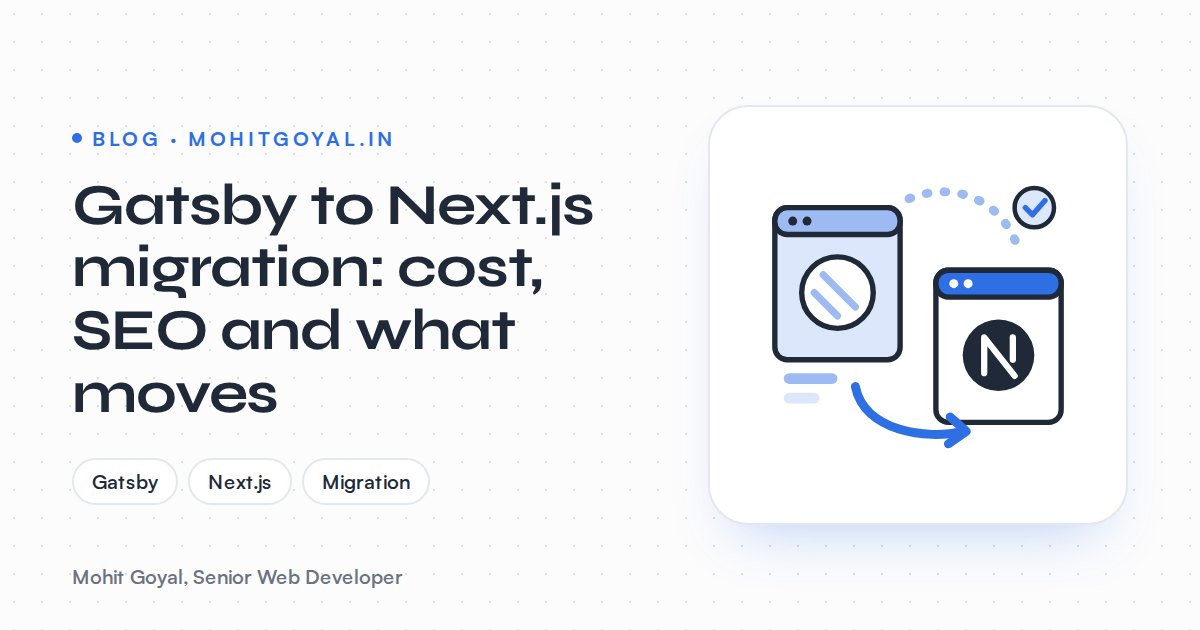
A Gatsby to Next.js migration usually costs about the same as building a new Next.js front end of the same size. Market guides put a small marketing site at $5,000–$10,000 and a multi-page site at $10,000–$30,000. Your content, your CMS and most of your React components carry over. Gatsby's GraphQL data layer, its gatsby-* plugins and its page-creation code get rebuilt. Your Google rankings hold if every old URL either stays the same or gets a permanent redirect in next.config.js.
I'm writing this for owners whose Gatsby site still works but feels stuck. Builds break, plugins don't get updated, and developers would rather not touch it.
Is Gatsby still maintained in 2026?
Barely. It still gets the odd maintenance release (the latest is 5.16.1, from February 2026), but there have been no major new features since Netlify bought Gatsby Inc. in February 2023.
Since then the framework has received security and critical fixes rather than new features. Gatsby Cloud was folded into Netlify the same year.
The GitHub release history shows what that means in practice. Version 5.16.0 came out on 26 January 2026 with React 19 and Node.js 24 support. Version 5.16.1 followed on 10 February 2026 to fix bugs in the Head API. An August 2026 review by Vardot found nothing new in the five months after that, and almost every release came from one contributor.
Those release notes also carry two warnings. Community plugins may not support React 19 yet, and Gatsby's experimental Partial Hydration feature doesn't work with React 19 at all. This is the part I'd worry about. Your site isn't broken today, but every Node, React or CMS API upgrade now depends on one maintainer and on plugins nobody is reliably updating.
When should you migrate from Gatsby to Next.js?
Start planning when two or more of these apply to you. If none do, a small, stable Gatsby site can wait.
- Builds fail or crawl, and deploys get blocked by errors buried in
node_modules. - A plugin you rely on has stopped getting updates. Source plugins, image processing and sitemap plugins are the usual ones.
- Your CMS API is changing. gatsby-source-shopify 9.0.0, for example, moved from Shopify's 2022-04 API to 2024-04 and was flagged as possibly breaking.
- Content has to go live without a full rebuild: prices, stock, job listings, event dates.
- A redesign is already on the cards. Paying to restyle a site on a framework you'll leave next year wastes the budget.
- You can't find people to work on it. Vardot cites npm figures of roughly 200,000–300,000 weekly Gatsby downloads against well over 36 million for Next.js.
If your site is a small brochure that rarely changes and still builds cleanly, it's fine to wait. Put a review date in the calendar. And if what your team really wants is to edit pages without a developer, Next.js may be the wrong target. Weigh it against WordPress before you commit.
What moves from Gatsby to Next.js and what gets rebuilt?
Content, the CMS, React components and styles move across. Anything from a gatsby-* package, GraphQL page queries and gatsby-node.js page creation gets rebuilt. Both frameworks are React, so the parts visitors see carry over well. The plumbing underneath doesn't.
| Part of your Gatsby site | Moves across? | What it becomes in Next.js |
|---|---|---|
| Content in a headless CMS (Contentful, Sanity, WordPress) | Yes | Same CMS, queried directly from server components |
| Markdown or MDX files | Yes | Read from the file system with an MDX library |
| React components and styles | Mostly | Copied over; Gatsby Link becomes next/link, GatsbyImage becomes next/image |
createPages in gatsby-node.js | No | File-based routes such as app/blog/[slug]/page.tsx with generateStaticParams |
Page queries and useStaticQuery | No | Direct fetch or CMS SDK calls |
| Head API or react-helmet | No | Metadata API with generateMetadata |
| Sitemap, robots and manifest plugins | No | app/sitemap.ts, app/robots.ts, app/manifest.ts |
| Gatsby Functions | Mostly | Route handlers |
| CMS preview | No | Draft mode |
| Analytics plugins | No | GA4 or Google Tag Manager loaded with a script component |
The rule of thumb I use: if it came from a gatsby-* package, it gets replaced. If it's plain React, CSS or content, it moves.
What happens to Gatsby's GraphQL data sources?
They go away. In Next.js, each page fetches the data it needs straight from your CMS or files, inside a server component.
At build time Gatsby pulls every source (CMS, Markdown, images, JSON) into one GraphQL layer. Next.js doesn't have that layer. It sounds like a big change, but usually it isn't:
- If your CMS has its own GraphQL API (Contentful, DatoCMS, Hygraph, or WordPress with WPGraphQL), your existing queries often carry over with small edits to field names.
- If a Gatsby source plugin pulled from a REST-style CMS, the queries get rewritten as SDK or
fetchcalls. - If you leaned on Gatsby to transform data (Remark for Markdown, Sharp for images, links between content types), that logic has to be rewritten. This is where the hidden hours tend to be.
You do get something back: caching. Next.js can refresh one page when its content changes instead of rebuilding the whole site, so an editor's typo fix goes live in minutes. If your backend is WordPress, this becomes a headless WordPress build.
How much does a Gatsby to Next.js migration cost?
It sits in the same market ranges as a new Next.js build of the same size: roughly $5,000–$10,000 for a small marketing site, $10,000–$30,000 for a multi-page site and $15,000–$60,000 for headless WordPress with a Next.js front end. Hardly anyone publishes prices for Gatsby migrations specifically, so read these as market ranges, not quotes.
| Site type | Market range (USD) | Source |
|---|---|---|
| Landing page or small marketing site | $5,000–$10,000 | WebHelpAgency |
| Multi-page marketing site | $10,000–$30,000 | WebHelpAgency |
| Production Next.js marketing site, US fixed price | $12,000–$35,000 | Verlua |
| Headless WordPress with a Next.js front end | $15,000–$60,000 | WebHelpAgency |
Rates swing more by region than by framework. US Next.js freelancers charge $75–$225 an hour, and agencies $150–$300. Second Talent puts a mid-level US contractor at $89–$140 an hour, against $23–$39 for a developer in Asia.
What moves the price of a Gatsby migration:
- Templates, not pages. Hundreds of blog posts on one template cost less than a dozen unique landing pages.
- How many data sources you have, plus any custom data transforms.
- Custom Gatsby plugins or
gatsby-node.jslogic with no Next.js equivalent. - Redesigning at the same time. Keeping the current design is the biggest single saving.
- URL changes. Every changed URL needs a redirect and a test.
- Editor workflows like live preview, multiple languages or scheduled publishing.
Keep the design, the CMS and the URLs, and the job usually lands at the lower end for its size. The design and content work is already done.
How do you keep URLs and rankings when you leave Gatsby?
Google ranks URLs, not frameworks. Keep every Gatsby URL identical in Next.js where you can, and where you can't, send a permanent redirect to the closest new page. In Next.js, a redirect with permanent: true returns a 308 status, and Google treats a 308 as a permanent redirect, same as a 301.
This is how I'd build the redirect map:
- Collect every old URL from the live sitemap, the Pages report in Google Search Console, your analytics landing pages and a full crawl.
- Mark each one as unchanged, moved or retired.
- Paste the moved and retired ones, as old and new pairs, into my free Redirect Map Builder. It gives you a
redirects()array fornext.config.jsand flags chains, loops, duplicates, trailing slashes, query strings and links to other domains. I built it with WordPress moves in mind, but old-and-new pairs from any platform work, Gatsby included.
The output looks like this:
// next.config.js
module.exports = {
  async redirects() {
    return [
      { source: '/blog/2021/05/launch-notes', destination: '/blog/launch-notes', permanent: true },
      { source: '/tags/:tag', destination: '/blog/tag/:tag', permanent: true },
      { source: '/old-pricing', destination: '/pricing', permanent: true },
    ]
  },
}
Watch your trailing slashes
Gatsby sites often serve URLs ending in a slash, and Next.js removes it by default. Either set trailingSlash: true in next.config.js or let one clean redirect handle it, and never stack it on top of other redirects into a chain.
Then carry over everything else Google reads: title tags, meta descriptions, canonicals, structured data, image alt text, robots rules and hreflang if you use it. If a Gatsby plugin generated your JSON-LD, rebuild it in the Next.js page metadata. After launch, submit the new sitemap and keep an eye on the Pages report in Search Console, so you spot pages stuck at Crawled – currently not indexed early. My guide to moving from WordPress to Next.js without losing SEO uses the same playbook.
What does the migration process look like?
Six steps: audit, map URLs, rebuild, check parity on staging, launch, monitor. The redirect map comes before any code, so URL decisions shape the new routes.
- 1
Audit
List every page template, data source and gatsby-* plugin. Record current rankings, traffic and Core Web Vitals as a baseline.
- 2
Map URLs
Build the redirect map before writing code, so URL decisions shape the new routes, not the other way round.
- 3
Rebuild
Recreate routes, data fetching, metadata and the sitemap in Next.js, and move the React components over as they are.
- 4
Check parity on staging
Crawl the staging site and compare titles, canonicals, status codes and structured data with the live Gatsby site.
- 5
Launch
Switch DNS or the deploy target with redirects live from the first minute, then submit the new sitemap.
- 6
Monitor
Watch Search Console coverage, 404s and Core Web Vitals over the following weeks, and fix gaps fast.
For hosting, Vercel and Cloudflare both run Next.js well. Netlify hosts Next.js too, which helps if you'd rather not change host and framework in one go. How long it all takes comes down mostly to how many templates and data sources your Gatsby site has.
What should you ask a developer before hiring?
You want live App Router sites you can visit, a tested redirect map before launch, SEO and Core Web Vitals checked against the old Gatsby site, and clear ownership of the code, hosting and domain. Ask:
- Can I visit live Next.js App Router sites you've shipped?
- How will you list my Gatsby plugins and find the ones with no Next.js equivalent?
- Will you deliver a full redirect map before launch and test every line?
- How will you check that titles, canonicals and structured data match the old site?
- Will we compare Core Web Vitals before and after?
- Will editors keep their CMS, their preview and their publishing flow?
- Who owns the code repository, the hosting and the domain at the end?
I build Next.js and React websites in TypeScript and Tailwind CSS, server rendered and deployed on Vercel or Cloudflare. I do the technical SEO and Core Web Vitals work myself too: redirects, schema, sitemaps and Search Console. If speed is part of why you're moving, save your current PageSpeed report now so there's a baseline to measure against and a prioritised fix plan to work from.
Next step
Send me your Gatsby site URL and, if you can, your package.json. The plugin list alone tells me most of what the migration involves. Book a 20-minute call or use the contact page, and I'll tell you straight whether to migrate now, wait, or move to something other than Next.js.