Headless WooCommerce with Next.js costs roughly $25,000–$80,000 to build, and $60,000–$150,000+ for bigger rebuilds. A standard WooCommerce store costs $5,000–$30,000, and hosting goes from about $50–$150 a month to $300–$1,000+. For most stores, it isn't worth it yet. It pays off when you have high revenue, a storefront a WordPress theme genuinely can't deliver, or more than one channel to feed. Otherwise a well-optimised standard store gets you most of the speed for a fraction of the cost.
I build headless WordPress sites with Next.js frontends, and a lot of my WooCommerce work is making ordinary stores faster. So I see both sides. Here's what I'd tell anyone before they sign off a headless budget.
What is headless WooCommerce, in plain terms?
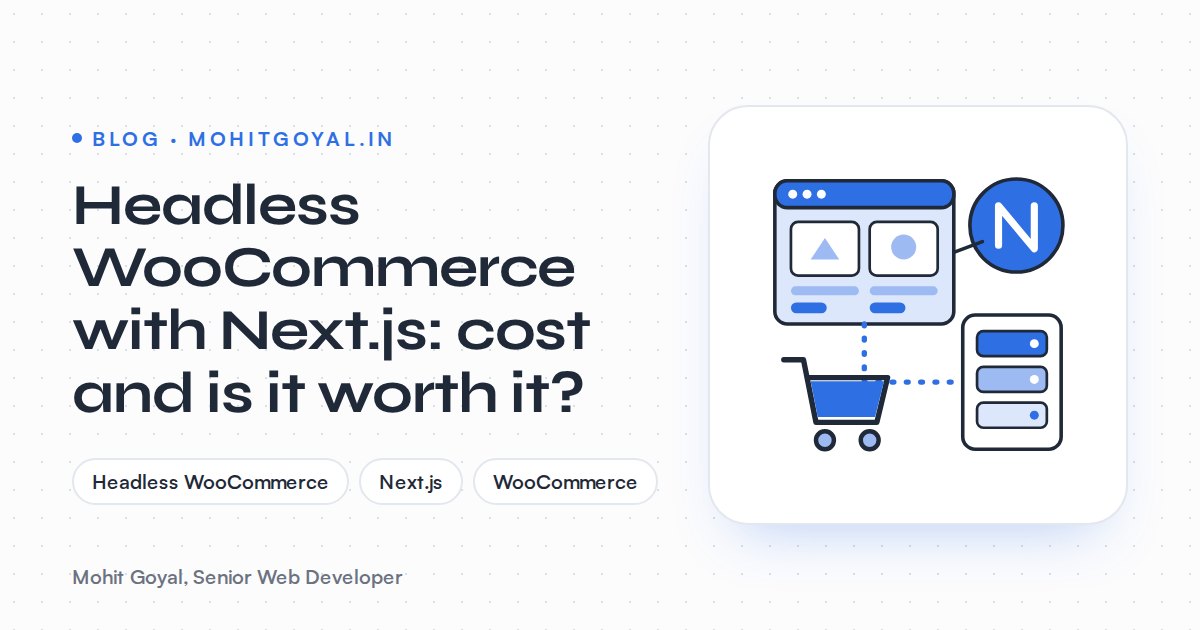
Headless WooCommerce means WooCommerce stays as the backend and a separate Next.js app replaces the WordPress theme as the storefront. Products, stock, orders, payments, customer emails and the admin screen all stay in WooCommerce, exactly where they are now.
The storefront is what changes. The Next.js app pulls its data through APIs: usually the WooCommerce REST API, the WooCommerce Store API for cart and checkout, or WPGraphQL with the WooGraphQL extension, as Qewebby's guide explains.
You go from one application to two, with an API layer in the middle.
Every box in that diagram is something someone has to build, host, monitor and fix when it breaks, and that's where the money goes.
How much does headless WooCommerce with Next.js cost to build?
A headless WooCommerce build with Next.js typically costs $25,000–$80,000 according to StoreCensus, and $60,000–$150,000+ for larger rebuilds according to Qewebby, with timelines of 2–6 months. These are planning figures from agencies and analysts. They aren't fixed prices.
| Source | Standard WooCommerce build | Headless Next.js build | Timeline quoted |
|---|---|---|---|
| StoreCensus | $5,000–$15,000 | $25,000–$80,000 | Not stated |
| Qewebby | $5,000–$30,000 | $60,000–$150,000+ | 14–22 weeks vs about 8 |
| Blaze Commerce | Not stated | $70K+ | 4–6 months |
| Creaytic | Not stated | $30,000–$80,000+ | 2–6 months |
Blaze Commerce doesn't quote a standard build. Instead it puts optimising an existing standard WooCommerce store at $20K–$35K.
You'll also see much lower numbers. One Austrian developer sells a headless Next.js frontend for a single existing WooCommerce shop from €6,900 with a tightly defined scope, and there are Upwork gigs from $250 to $3,000 built on a ready-made template. Read the small print on those. They cover a fixed template or a fixed scope, and your own design, plugins and payment setup are usually extras. In India, an older Scalefront guide quoted headless WooCommerce migration packages of ₹75,000 to ₹5,00,000. It's well over a year old, so I'd treat that as a rough floor.
$25k–$80k
Typical headless WooCommerce build (StoreCensus)
$5k–$15k
Typical standard WooCommerce build (StoreCensus)
$300–$1,000+
Headless hosting and infrastructure per month (StoreCensus)
14–22 weeks
Headless rebuild timeline (Qewebby)
What does a headless WooCommerce store cost to run each month?
A headless WooCommerce store typically costs $300–$1,000+ a month in hosting and infrastructure, against $50–$150 for a standard WooCommerce setup. This is the bit people underestimate.
You still need good WordPress hosting, because WooCommerce still runs the admin, the orders and often the checkout. On top of that you're hosting the Next.js frontend. And you need developers who are comfortable with PHP, React and the API between them.
The monthly figures above come from StoreCensus. Brambla, comparing WordPress with headless Next.js more broadly, puts three-year total cost of ownership at roughly three to five times higher for headless. If you want the content-site version of these numbers, I've broken them down in how much a headless WordPress site costs.
What pushes the price of headless WooCommerce up or down?
Two things move a headless WooCommerce quote more than anything else: how checkout works and how many plugins render on the storefront. Catalogue size, payments, SEO migration and content editing make up most of the rest.
- Checkout approach. Handing off to the native WooCommerce checkout is cheaper and safer. A fully custom checkout in Next.js is the most expensive line in most quotes.
- Frontend plugins. Wishlists, loyalty points, product customisers and some membership features need rebuilding in React, according to Qewebby. Count yours before you ask anyone for a quote.
- Catalogue size. Big catalogues need webhook-based cache invalidation, so stock and prices stay accurate without rebuilding the whole Next.js site.
- Payments, currencies and regions. Every extra gateway and currency rule is more integration work.
- SEO migration. Meta titles, schema, sitemaps and redirects have to be carried across by hand.
- Content editing. If your team builds landing pages in Elementor or Bricks today, that workflow doesn't come with you to a Next.js storefront.
What usually breaks in a headless WooCommerce build?
In headless WooCommerce, the usual trouble spots are cart sessions, checkout and payments, plugins that render on the storefront, editor previews and SEO metadata. Each one needs planned work and a line in the budget.
Cart and sessions
A normal WooCommerce cart relies on PHP session cookies, and those don't survive a cross-domain frontend. The usual fix is the WooCommerce Store API's cart-token mechanism or a plugin like CoCart. Bugs tend to hide at the edges: carts that empty between pages, coupons that won't apply, shipping that doesn't recalculate, guest carts that don't merge when someone logs in.
Checkout and payments
This is where mistakes cost real money. StoreCensus notes that payment gateways may need custom tokenisation and PCI handling in a decoupled frontend, and that checkout alone can take weeks to integrate. Most WooCommerce gateway plugins expect to render inside a WordPress theme. So a lot of teams keep the native WooCommerce checkout and send shoppers to it. The jump between the two looks a bit less polished, but it breaks far less often. If your current store already has payment problems, fix those first. Don't stack a second application on top of them.
Plugins that render on the page
Anything that hooks into the WordPress theme to show something to shoppers stops working in a headless build: product add-ons, currency switchers, review widgets, popups, delivery checks. Backend plugins that act on orders usually carry on fine. Two of my own projects show the split. On the Wow Vastra store I added a currency switcher and worldwide checkout. In a headless build, that switcher would have to be rebuilt in the Next.js frontend. On Whitfield Service Station I built a delivery radius plugin and PrintNode receipt printing. The printing hooks into orders, so it would survive a headless move. The radius check runs during checkout, so it would need rework.
Previews and editing
Editors lose the visual page builder on the storefront, and draft previews have to be built, usually with Next.js Draft Mode and a preview token. Budget for it, or your marketing team will be filing a ticket for every banner change.
SEO
Yoast or Rank Math data has to come through the API and be rendered by Next.js. Schema has to be rebuilt. Any URL that changes needs a permanent redirect. Map every old WordPress URL to its new Next.js path before launch, then keep a close eye on Google Search Console for the first few weeks.
When is a well-optimised standard WooCommerce store the better choice?
For most stores, especially those under roughly $3M a year in revenue, an optimised standard WooCommerce store is the better call. Even Blaze Commerce, which sells headless builds, says stores below that level usually reach 460–560ms page loads through optimisation for about a third of the cost. StoreCensus suggests a store is a realistic headless candidate only if it ticks at least three boxes: $3M+ annual revenue, 40%+ of traffic from abroad, multi-channel needs such as an app or kiosk, or custom UI like a 3D configurator.
My own work points the same way. The Wow Vastra store runs on standard WooCommerce with a new homepage, currency switching and worldwide checkout, and it loads in 1.5 seconds. On the Nortek LED store, the client's post-launch analytics reported 35% faster load times. Neither needed a second application. The usual wins are boring ones: better hosting, proper caching, compressed images, fewer plugins, and fixing whatever is dragging down LCP and INP. I've listed the fixes that actually work in why your WooCommerce store is slow. You can also paste a PageSpeed report into my free Page Speed Fix Planner and get a ranked list for your store.
| Factor | Optimised standard WooCommerce | Headless WooCommerce with Next.js |
|---|---|---|
| Build cost | $5,000–$30,000 (Qewebby) | $25,000–$150,000+ (StoreCensus, Qewebby) |
| Timeline | About 8 weeks (Qewebby) | 14–22 weeks (Qewebby) |
| Plugins | Work out of the box | Frontend plugins rebuilt |
| Checkout | Native | Hand-off or custom build |
| Editing and previews | Built in | Custom work |
| Who maintains it | A WordPress developer | PHP, React and DevOps skills |
| Best fit | Most stores | High revenue, custom UX, multi-channel |
When is headless WooCommerce with Next.js worth it?
Headless WooCommerce with Next.js is worth it for high-revenue stores that need a custom storefront, sell across several channels, or want one Next.js frontend for marketing and shop. It earns its cost when at least one of these is true, and ideally a few:
- Your revenue is high enough that a small lift in conversion pays back the rebuild within a year or so.
- You need a storefront a WordPress theme can't do well: configurators, app-like browsing, lots of interactivity.
- You feed a website, a mobile app and other channels from one product catalogue.
- You already run a Next.js marketing site and want one design system and one frontend.
- You have ongoing developer time, in-house or on retainer, to look after two systems.
There's a middle path too. Keep WooCommerce for the shop and checkout and move only your marketing and content pages to Next.js. Or make the catalogue headless and hand off to the native WooCommerce checkout. Either way you skip most of the risk and still get a faster, more flexible frontend where it counts.
What should you ask a developer before hiring for headless WooCommerce?
Ask how they'll handle the API, checkout, plugins, cache updates, previews, SEO and monthly hosting, and ask to see a live headless store they've built. These eight questions cover it:
- Which API will handle the catalogue and which will handle the cart, and why?
- Will checkout be native WooCommerce or custom? How are payments tokenised?
- Which of my current plugins will stop working, and what does replacing each one cost?
- How do stock and price changes reach the Next.js frontend without a full rebuild?
- How will my team preview drafts and build landing pages?
- How do SEO metadata, schema and redirects carry over?
- What will hosting cost each month on both sides, and who fixes checkout at 9pm on a Saturday?
- Can I see a live Next.js or headless WordPress site and a WooCommerce store you've built, and run through the checkout?
A good developer will also ask whether you need headless at all. If the first conversation is all about frameworks and not about your revenue, plugins and checkout, be careful.
What's the next step?
Send me your store URL and tell me what you want the new storefront to do. I'll tell you straight whether optimising your current WooCommerce store gets you there, or whether a headless build is worth scoping properly. You can book a 20-minute call on my contact page.