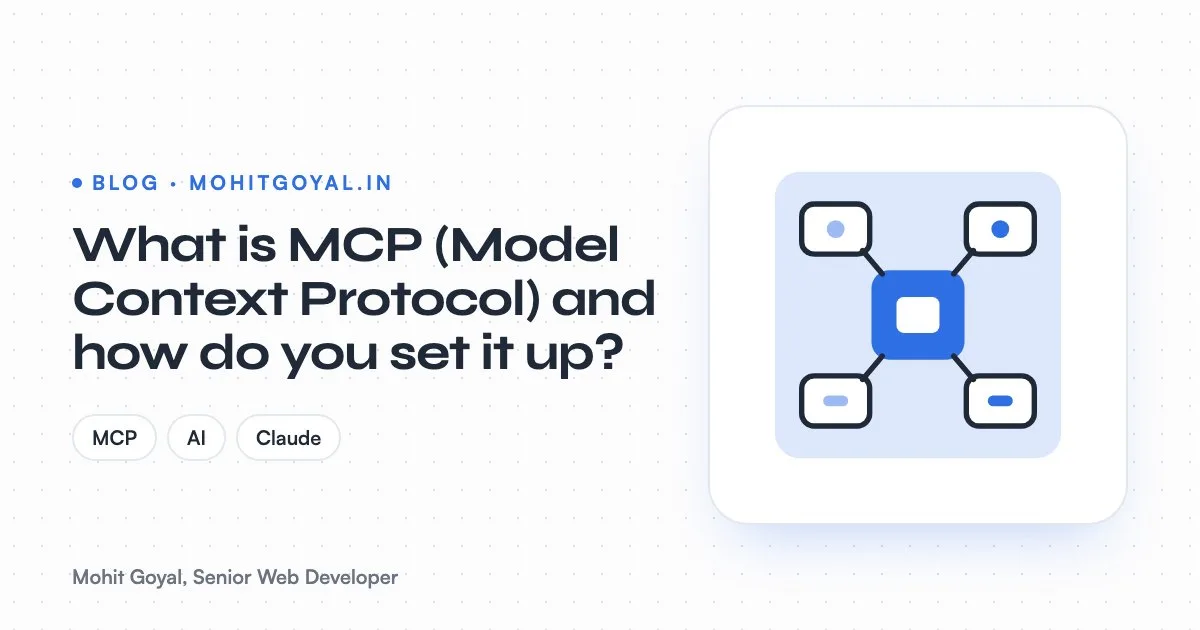
MCP, the Model Context Protocol, is an open standard that lets AI apps such as Claude, ChatGPT, VS Code and Cursor connect to outside tools and data through one common plug. A company writes one MCP server for its product, and every AI app that speaks MCP can use it. To set one up, you add the server's address or start command to your AI app's settings, sign in if it asks, and the app gains new abilities, like reading your analytics or opening a GitHub pull request.
Anthropic released MCP on 25 November 2024. A year later it was handed to the Agentic AI Foundation under the Linux Foundation, with OpenAI, Google, Microsoft and AWS among the members, according to the Linux Foundation's announcement in December 2025.
Nov 2024
Released by Anthropic
5B+
SDK downloads in total
6
Official SDKs at the top support tier
2026-07-28
Current spec version
The MCP project's own MCP turns two post from November 2026 says the official SDKs have passed 5 billion downloads in total and 700 million in the last 30 days. Those are raw package counts, so they include automated installs.
The problem MCP solves
Before MCP, every AI app needed its own integration with every tool. Ten AI apps and a hundred tools meant up to a thousand separate connectors, each built and maintained by someone. MCP turns that into ten plus a hundred: each app learns MCP once, and each tool ships one MCP server.
That arithmetic is why adoption moved fast once OpenAI said in March 2025 that it would support MCP, as TechCrunch reported, followed by Google a few weeks later.
How MCP works
There are three parts, and the names trip people up.
- The host is the AI app you use: Claude, ChatGPT, VS Code, Cursor.
- The client lives inside the host. It keeps one connection to one server.
- The server is a small program that exposes a service, such as GitHub, your database or your files, in MCP's format.
A server is either local or remote. A local server runs on your own computer as a small program the AI app starts. A remote server runs online behind a web address, and you usually sign in to it. Under the hood the messages are a simple "call this function with these inputs" format called JSON-RPC, and developers will meet the two transport names, stdio for local and Streamable HTTP for remote.
A server can offer three kinds of things:
| Server offers | What it is | Example |
|---|---|---|
| Tools | Functions the AI can run | Create a GitHub issue, run a GA4 report |
| Resources | Data the AI or the user can read | A file, a database table, a page of docs |
| Prompts | Ready-made instructions a user can pick | "Review this pull request" |
When you ask an AI app something that needs a tool, the exchange goes like this:
The approval step matters. Good hosts ask before running a tool, at least the first time, and you can usually see the exact inputs being sent.
Should your business build its own MCP server?
Connect a vendor's server when the tool you want is a mainstream product: GitHub, Stripe, Notion, Google Analytics. Those companies maintain their servers, handle sign-in and fix security problems, and you pay nothing extra for MCP itself.
Build your own when the data lives in your own systems: an order database, a booking system, a custom CRM, an internal API. A small read-only server that answers "what's the status of order 4512?" or "which bookings are unpaid this week?" is something I'd expect to take a few days to a couple of weeks. The cost goes up once it can change data or a whole team signs in to it, because both need careful building and testing. It isn't worth building when the vendor already ships a server, or when only one person would ever use it; a saved report or a spreadsheet export does that job for less.
The data I'd expose first is the kind I already build custom WordPress plugins around, like the delivery radius checker on the Whitfield Service Station ordering site that works out distance-based fees: order status, delivery zones, bookings and stock.
Start read-only
A first MCP server that can only read data is far safer to roll out, and it shows quickly whether staff actually use it before you pay for write access.
If you're weighing that up, it's the kind of build I do as custom plugins and internal tools, or inside a Next.js web app.
What changed in the 2026 spec
MCP's spec carries a date as its version. The current one, per the official specification, is 2026-07-28, which replaced 2025-11-25. It made the protocol stateless, which means each request now stands on its own instead of relying on an ongoing session that starts with a handshake. That makes remote servers easier to run on ordinary web hosting that spreads requests across several machines.
It also deprecated two features many 2025 tutorials still describe, Roots and Sampling, meaning they still work for at least 12 months but are on the way out. If a tutorial starts with the initialize handshake, it's describing the old version. From here on, the project plans a new spec every six months.
How fast it has grown
- Dec 202597M
- Nov 2026700M
Both figures are from the MCP blog: 97 million in the December 2025 post on joining the Agentic AI Foundation and "more than 700 million" in the November 2026 birthday post. In between, the July 2026 spec release post put it at "close to half a billion". For a single package, npm's download stats show about 389 million downloads of the TypeScript SDK between 26 October and 24 November 2026.
Which apps support MCP
| App | MCP support |
|---|---|
| Claude (web, desktop) | Custom connectors to remote MCP servers on every plan, one connector on Free, per Claude's help center |
| Claude Code | Local and remote servers, added with one command |
| ChatGPT | Apps built on MCP, per OpenAI's Apps SDK announcement in October 2025 |
| OpenAI API and Agents SDK | Remote MCP servers in the Responses API since May 2025 |
| VS Code with GitHub Copilot | Local and remote servers in agent mode |
| Cursor | Project and global config files |
| Gemini CLI | Servers listed in its settings file |
| Microsoft Copilot Studio | MCP tools and resources for agents |
How to set up an MCP server
Most people never write a server. They connect one that a company already runs. There are three common ways, depending on which app you use.
In Claude on the web or desktop, go to Settings, then Connectors, add a custom connector and paste the server's URL. Claude connects from Anthropic's cloud, so this works for remote servers. Sign in when the service asks.
For a local server in Claude Desktop, open Settings, then Developer, then Edit Config, and add the server to claude_desktop_config.json. This example gives Claude access to two folders:
{
  "mcpServers": {
    "filesystem": {
      "command": "npx",
      "args": ["-y", "@modelcontextprotocol/server-filesystem", "/Users/you/Desktop", "/Users/you/Downloads"]
    }
  }
}
Restart Claude and the tools show up.
In Claude Code, one command adds a server. Per the Claude Code MCP docs:
# a remote server
claude mcp add --transport http notion https://mcp.notion.com/mcp

# a local server, with an API key passed as an environment variable
claude mcp add --env AIRTABLE_API_KEY=YOUR_KEY --transport stdio airtable -- npx -y airtable-mcp-server
Add --scope project and the server is saved in a .mcp.json file you can commit, so everyone on the team gets the same tools. VS Code and Cursor read similar JSON files with an mcpServers list.
- 1
Pick a server from the vendor
Use the official server from the company that owns the service, linked from its own docs, not a lookalike package.
- 2
Add it to your app
Paste the URL for a remote server, or the command for a local one.
- 3
Sign in with the narrowest access
Choose read-only or limited scopes where the service offers them.
- 4
Try one small request
Ask for something harmless, read the tool call it proposes, and approve it.
- 5
Keep approvals on
Leave per-call approval on for anything that writes, sends or deletes.
Building your own MCP server
If your business has data or an API that staff keep copying into chat windows, a small MCP server can let them ask for it directly. With version 2 of the official Python SDK, a working tool is a few lines:
from mcp.server import MCPServer

mcp = MCPServer("Orders")

@mcp.tool()
def order_status(order_id: str) -> str:
    """Look up the status of an order by its ID."""
    return lookup_order(order_id)  # your own database call

mcp.run(transport="stdio")
Install it with pip install "mcp[cli]" on Python 3.10 or newer. Older tutorials import a class called FastMCP instead; that's the earlier version of the same SDK. The docstring matters more than it looks: the AI reads it to decide when to call the tool, so write it for a reader who has never seen your system. Besides Python, the MCP docs list official SDKs for TypeScript, C#, Go, Rust and Ruby at the top support tier, with Java, Swift, PHP and Kotlin behind them.
A local server like this suits one person on one computer. For a team, you'd run it as a remote server over HTTP with proper sign-in. The spec's authorization rules follow OAuth 2.1, the same standard behind "Sign in with Google" buttons. That part is where most of the real work goes.
Official servers from vendors
These are official servers run by the companies themselves, as listed in their own developer docs:
| Server | What it lets an AI app do |
|---|---|
| GitHub | Read code, open issues and pull requests, review changes |
| Stripe | Use the Stripe API and search Stripe's docs and support articles |
| Cloudflare | Manage Cloudflare products from a catalog of hosted servers |
| Google Analytics | Run GA4 reports and read account details |
| Figma | Pull design context from a Figma file to write code from it |
| Sentry | Search errors and help triage issues |
| Notion | Search, create and edit pages, manage databases |
| Shopify | Search Shopify's developer docs and API references while coding |
| WordPress.com | Work with every site on a WordPress.com account through one endpoint |
Self-hosted WordPress has its own route. The WordPress Developer Blog introduced the WordPress MCP Adapter in February 2026, which turns abilities registered with the Abilities API in WordPress 6.9 into MCP tools.
With Google's Analytics MCP server connected to Claude Code, a question like "which pages lost sessions this week?" comes back as a GA4 report in the terminal, without opening the dashboard. For a business owner, the same idea in Claude's desktop app means asking about sales, traffic or open support tickets in plain words, with the numbers pulled live instead of pasted in.
Is MCP safe?
MCP is as safe as the servers you connect and the permissions you give them. The spec says plainly that tools "represent arbitrary code execution", and its security best practices page covers risks like the confused deputy problem, where a server is tricked into using its access for someone who shouldn't have it, and tokens with far more access than the job needs.
Three incidents show what goes wrong in practice:
- In May 2025, Invariant Labs showed that a malicious issue on a public GitHub repository could steer an agent using the GitHub MCP server into leaking data from private repositories. The agent had "Always Allow" switched on.
- In September 2025, The Register reported that a fake npm package called postmark-mcp quietly copied every email it sent to an attacker.
- In July 2025, JFrog disclosed CVE-2025-6514, a critical flaw in the widely used mcp-remote package that let a malicious server run commands on the user's machine. Version 0.1.16 fixed it.
The pattern behind most attacks is prompt injection: text hidden in an email, web page or issue that the AI reads as instructions. A connected tool turns a bad instruction into a real action. Approvals and narrow scopes are what stand between the two.
MCP compared with plain APIs and plugins
An API is still underneath. MCP sits on top of a company's API and describes it in a form any AI app understands, with descriptions the model can read and a standard way to sign in. ChatGPT's old plugins and per-app integrations did a similar job for one app each. MCP is the shared version, which is why ChatGPT's apps are now built on it.
If you're adding an AI chat to your own website, that's a different job again. The chat on this site answers from my own content and doesn't need MCP at all, as I explain in how I built the AI chat portfolio site. MCP earns its place when an AI app needs to reach into systems you already use: analytics, payments, code, documents.