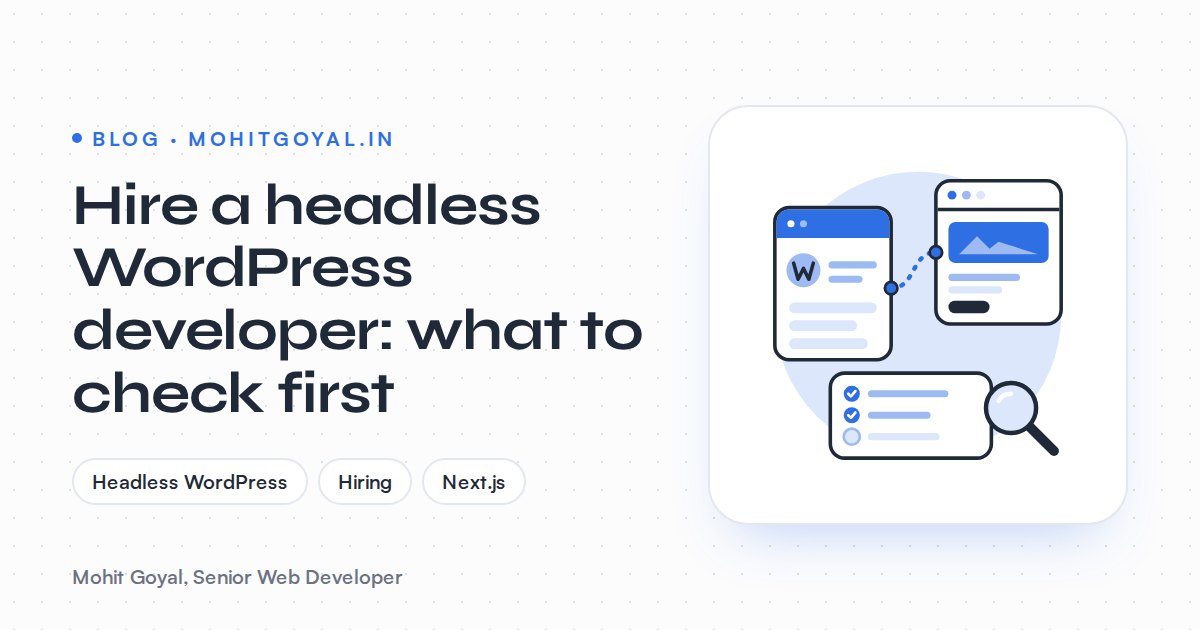
Before you hire a headless WordPress developer, check that they can work on both halves of the build (WordPress as a content API, plus a JavaScript frontend such as Next.js), that they have a real plan for previews, content updates and redirects, and that every account and repository ends up in your name. Vetted freelance Next.js developers charge around $60 to $100+ an hour, against the $15 to $28 an hour typical for general WordPress developers on Upwork, and a headless build needs both skill sets. At that price, it's worth making sure you need headless at all. Here's the checklist I'd give anyone hiring for this, with the questions to ask and the answers that should worry you.
Do you actually need headless WordPress?
Only if your team will keep editing in WordPress, you need an app-like frontend (or several frontends, or you have React skills in-house), and there's budget for a developer after launch. If any of those is a no, classic WordPress is usually the better call.
In a headless build, WordPress only stores and serves content while a separate frontend, usually Next.js, builds the pages, so you get speed and full frontend control in exchange for two codebases, two hosts and a developer for most layout changes.
Run through this before you talk to anyone:
One thing people miss: if your marketing team builds landing pages in Elementor or Bricks Builder today, going headless takes that away. Page builder layouts depend on the builder's own frontend, and a headless Next.js frontend doesn't load it. I've written a longer piece on when headless WordPress with Next.js is worth it, costs included. Still unsure? My free Tech Stack Advisor recommends a stack for your project, with an alternative and the trade-offs, so you can see whether headless comes out ahead.
Who owns each layer of a headless WordPress site?
You own the accounts: WordPress hosting, the frontend repository, Vercel or Cloudflare, the domain, forms and analytics. The developer builds, documents and maintains the code. Agree this before anyone signs a contract.
A classic WordPress site is one thing on one host. A headless one has at least five moving parts, and the most common problem after launch is that nobody knows who is responsible for which part.
| Layer | What it includes | Who should own the account |
|---|---|---|
| WordPress backend | PHP hosting, core and plugin updates, users, backups | You; the developer maintains it |
| Content API | WPGraphQL or the REST API, custom fields, authentication | Developer builds it, documents it |
| Frontend code | Next.js repository, components, build settings | You own the GitHub organisation; the developer commits to it |
| Frontend hosting | Vercel or Cloudflare project, environment variables | You, on your billing |
| Domain and DNS | Registrar, DNS records, CDN | You |
| Redirects and SEO | Redirect map, sitemaps, metadata, canonicals | Developer, written down in the repo |
| Forms and analytics | HubSpot, GA4, Google Tag Manager | You |
A developer who knows this work will suggest a split like this without you asking. If they want everything on their own accounts "to keep it simple", that's a warning sign.
WPGraphQL or the REST API: which should they use?
Both work. WPGraphQL suits content-heavy sites with lots of relationships between posts, terms and custom fields. The REST API is fine for smaller sites with a few content types. What matters is that the developer picks one for a reason, not out of habit.
The REST API ships with WordPress core. WPGraphQL is a free plugin that was announced as a future canonical plugin when its creator joined Automattic, as WP Tavern reported.
| Factor | WPGraphQL | REST API |
|---|---|---|
| Installed by default | No, it's a plugin | Yes, part of core |
| How data is fetched | One query asks for exactly the fields you need, including related posts and terms | Fixed endpoints; related data often means extra requests |
| Custom fields (ACF) | Through the WPGraphQL for ACF extension | Through ACF's REST setting or custom fields registered in code |
| Caching | Queries need extra work to cache; WPGraphQL Smart Cache helps | Plain GET URLs are easy to cache at the CDN |
| Good fit | Content-heavy sites with lots of relationships | Smaller sites with few content types |
The answer you want is a trade-off tied to your content model. The one you don't want is "GraphQL is always better" from someone who hasn't asked what your content looks like.
How will your editors preview drafts?
On a Next.js frontend, previews usually run through Next.js Draft Mode plus an authenticated way to read unpublished content. This is where headless builds let content teams down most often. The WordPress Preview button opens the WordPress theme, which no longer powers your site, so someone has to wire it to the frontend.
Here's how it works with Next.js Draft Mode. WordPress links to a secret route on the frontend, that route sets a cookie, and the frontend fetches unpublished content instead of serving the cached page. Drafts aren't public, so the frontend also needs to authenticate, for example with WordPress application passwords or a token plugin.
Ask the developer to show you a preview working on a past project. If the answer is "editors can publish and then check", your content team will be emailing you within a week.
How does new content go live: ISR and revalidation?
My preference is on-demand revalidation triggered by a WordPress webhook, with time-based revalidation (ISR) as a safety net. Fast headless sites serve cached pages, and that leads to the question every editor asks sooner or later: I clicked Update, so why can't I see it? There are three broad approaches:
- Full rebuild on publish. Simple, but slow once you have hundreds of pages.
- Time-based revalidation (ISR). Pages refresh at set intervals, so edits show up after a delay.
- On-demand revalidation. WordPress sends a webhook when content is saved, and the Next.js frontend refreshes only the affected pages with
revalidatePathorrevalidateTag.
When a developer proposes on-demand revalidation, push a bit further. When a post changes, does the blog index refresh too? The category pages? The menu, which appears on every page? What happens when a post is deleted or unpublished? Weak builds get the single post right and leave the listings stale.
Who handles redirects and technical SEO?
The developer does, on the frontend. Redirects and metadata stored in WordPress plugins are never read by Next.js unless someone builds that connection, so ask for a written plan before work starts.
On classic WordPress, a plugin like Redirection or Rank Math handles redirects. On a headless site those redirects just sit in the WordPress database. Your developer needs to cover two kinds. The first is a fixed map for launch, old URLs to new ones. The second is a way for editors to add redirects later without a deploy.
SEO metadata has the same problem. Titles, descriptions and canonical tags from Yoast or Rank Math have to come through the API and be rendered by the frontend. The frontend also has to generate the XML sitemap, with every URL on your real domain. My free Redirect Map Builder turns a list of old WordPress URLs into a redirects() array for next.config.js and flags chains and loops, which covers most of the launch map. The full process is in my guide to moving from WordPress to Next.js without losing SEO.
Your CMS subdomain can compete with you
If cms.yourdomain.com stays public and indexable, Google can find two copies of every page. Ask how the developer will block or redirect the WordPress frontend.
Vercel or Cloudflare: where should the frontend run?
Vercel is the easiest home for a Next.js frontend. Cloudflare can work out cheaper at scale but takes more setup. Either way, WordPress still needs its own PHP hosting, so you'll have two hosting bills.
Vercel is made by the team behind Next.js, so ISR, Draft Mode and image optimisation work out of the box. Cloudflare can run Next.js on its edge network through the OpenNext adapter, but some features need extra configuration.
Ask which platform they'd pick for your traffic and why, what it costs on the plan you'll actually need, and whose card is on the account. I've compared the two in Vercel vs Cloudflare for Next.js.
How much does a headless WordPress developer cost?
A headless developer needs both skill sets, so expect to pay at least what a good Next.js freelancer charges, and treat general WordPress rates as a floor, not a guide.
| Source | Who the rate covers | Hourly rate (USD) |
|---|---|---|
| Upwork | WordPress developers hired on Upwork, typical | $15 to $28 |
| Arc | Vetted freelance Next.js developers | $60 to $100+ |
Project cost depends on how many templates, custom post types and integrations you need, and whether there's a migration. If location matters to you, I've written guides to hiring a Next.js developer in India and the UK.
What proof of headless experience should you ask for?
Live sites, not screenshots, and a clear account of what the person did on each one. The proof should cover both halves: a production Next.js frontend and real WordPress plugin or content-model work.
On the frontend side, my clearest example is procol.ai. As Senior Web Developer at Procol, I rebuilt the site on Next.js with TypeScript and Tailwind CSS, and I still maintain it, along with its landing pages and the Procol Nexus 2026 summit page. That work covers rendering, caching, metadata, redirects and deploys, the same concerns a headless frontend depends on.
On the WordPress side, look for someone who has built plugins and custom content models, not just themes. I've shipped 100+ WordPress and Next.js sites in 4+ years, and I maintain the HTTP Security Header plugin on WordPress.org, which has 1,000+ active installs. That kind of PHP and data-modelling work is what you need behind a clean content API.
Which interview questions reveal real headless experience?
Go through the API choice, previews, revalidation, redirects, SEO, uptime, forms and account ownership. These eight questions do it:
- "WPGraphQL or REST for my site, and why?" Listen for a reason tied to your content, not a personal preference.
- "Show me draft preview working on a past build." A live demo beats any explanation.
- "I click Update. What happens, and how long until it's live?" Expect webhooks, on-demand revalidation and a plan for listing pages.
- "Where do redirects live, and can my editors add new ones?"
- "How do Yoast or Rank Math titles reach the frontend? Who generates the sitemap?"
- "What happens to the live site if WordPress goes down for an hour?" Cached pages should keep serving.
- "How are forms submitted?" WordPress form plugins don't render on a headless frontend, so you need HubSpot, an API route or a form plugin's API.
- "Whose accounts will everything sit on, and what do I get at handover?"
What are the red flags when hiring a headless WordPress developer?
Watch for these:
- They promise all your current plugins will keep working. Anything that outputs HTML on the frontend, like sliders, form builders and page builders, won't.
- They can't explain previews, or they price them as an extra.
- They plan a full static rebuild on every publish for a site with hundreds of pages.
- The proposal has no URL inventory or redirect plan.
- The WordPress install stays public and indexable on a subdomain.
- Hosting, the repository or the domain would sit on their accounts.
- Their portfolio only shows one half: React apps with no CMS work, or WordPress themes with no frontend framework.
What should you do next?
Write down your content types, who edits them and how often, then go back to the decision chart at the top. If headless still makes sense, have a look at how I scope and build headless WordPress sites, or book a 20-minute call and bring this checklist with you. I'll answer every question on it for your project.